
-
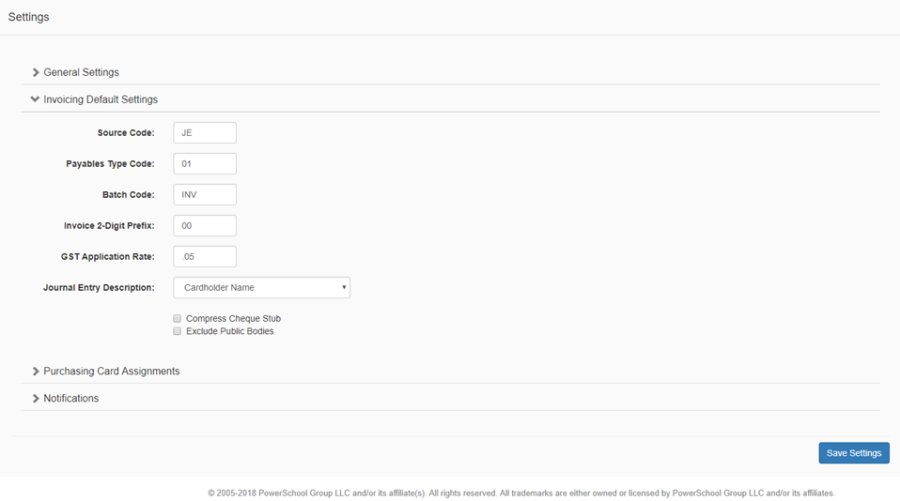
Click the Invoicing Default Settings panel header to expand the section
-
Enter the default values to be displayed on the Invoice page, if no defaults are defined then the fields will be blank on the Invoice page. Note that default values, can be modified on the Invoice page, if applicable.
-
Fields include:
-
Source Code
-
Payables Type Code
-
Batch Code
-
Invoice 2-Digit Prefix
-
GST Application Rate
-
Journal Entry Description
-
Compress Cheque Stub
-
Exclude Public Bodies
-
-
Click Save Settings to save any changes made