
The Location Transaction Summary page displays a listing of all transactions for employees at the location. Users with the 'Location Transactions' permission will have access to all employee transactions for employees at their assigned location(s). This permission also grants the user with the ability to submit transactions for final approval (i.e. permission to access this page may be given to the Principal at a school or other school administrative staff).
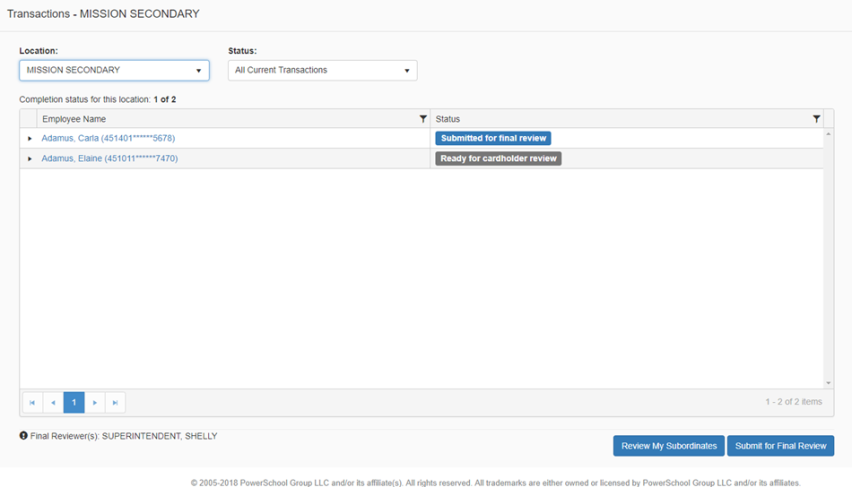
As with other version of the Transactions page, users with access to the Locations page will be able to expand the grid to show the transaction summary for each employee (by clicking on the arrowhead before each name), and the user can further drill into the details by clicking on the employee name.
A location reviewer may or may not also have subordinates; the button 'Review My Subordinates' will only display if the logged in user is also a Supervisor.
Clicking on the 'Submit for Final Review' button on this page will set the status for all employees at this location, overriding the existing status, so even if a card holder had not yet completed their review the record would be marked as ready for Final Review. If you only want to set the status for specific employees then you must click on the employee name first and then on the Transaction Summary page for that employee, click Submit for Final Review.
All columns in the grid can be further filtered by clicking the filter icon 