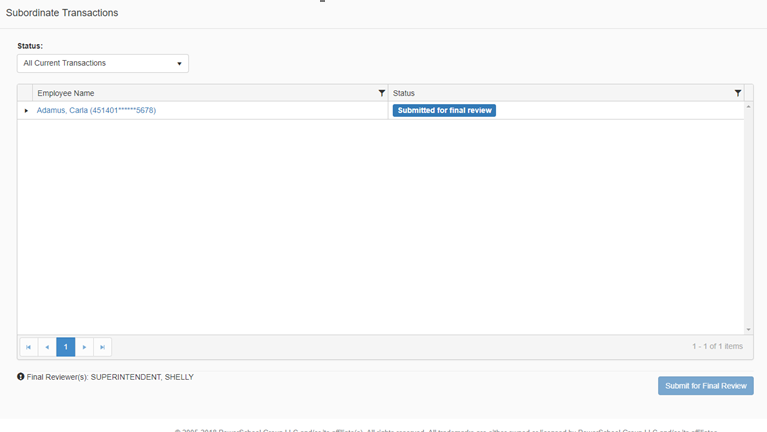
The Subordinate Transactions summary page lists all the subordinates of the logged in user. From this page the Supervisor can review their subordinates' transactions, and then submit for Final Review. You may want to restrict supervisors to only being able to review their subordinates' transactions; restricting a supervisor to only have access to their subordinates' transactions is controlled by a permission in Role Based Security
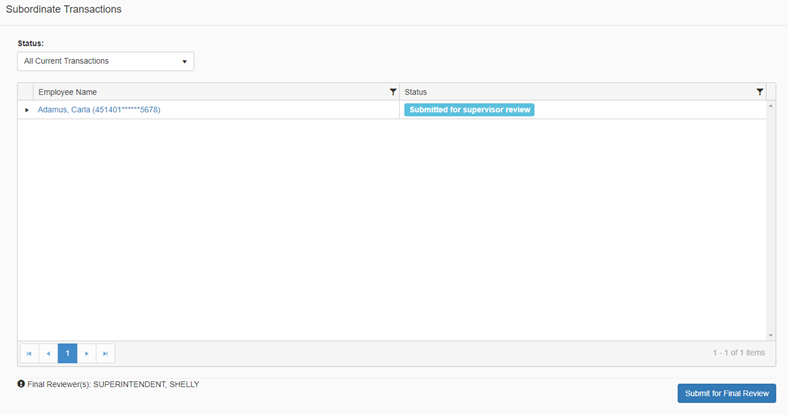
Once a purchasing card holder submits their transactions for supervisor review, their supervisor(s) will receive an email notification. The supervisor will then need to sign-in to the system and navigate to the Subordinates Transactions page.
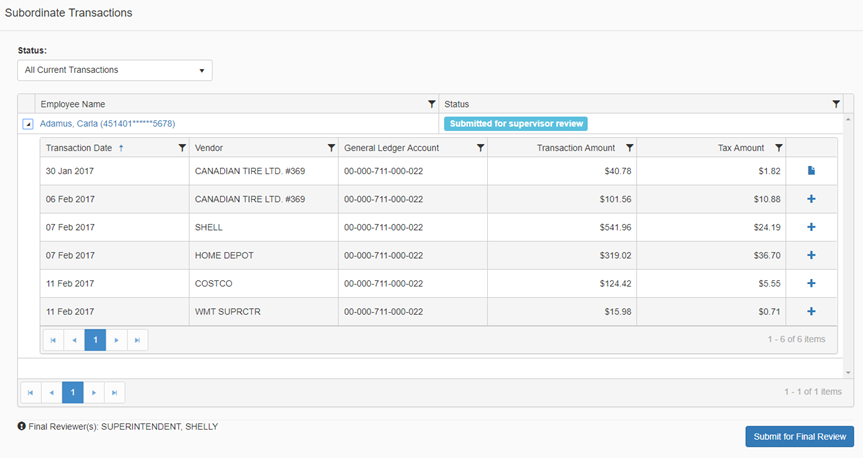
The supervisor's subordinates will be listed in the transactions grid. To view the summary transaction details within the grid, click the arrow-head located next to the employee name. From the transactions grid the supervisor can review a summary of each of their subordinates' transactions, including the ability to view any attached documents.
Clicking the Status drop down provides you with a way to filter the grid results by a specific status. Statuses include: Ready for Cardholder Review, Submitted for Supervisor Review, Submitted for Final Review, Ready for Invoicing and Invoiced. All columns in the grid can be further filtered by clicking the filter icon
To view the transaction details for a specific employee, click the employee name hyperlink and the Transaction Summary page will display (refer to section above in this document 'Purchasing Card Holder Transaction Summary' for more information about the summary page).
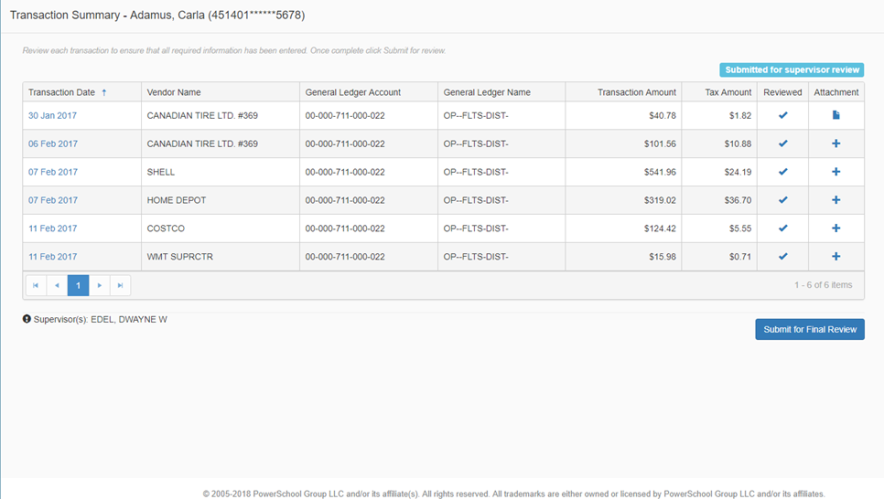
To view specific details about a transaction, click the transaction date hyperlink and the Transaction Details page will display (refer to section above in this document 'Transaction Details' for more information about the detail page).
Once the Supervisor completes their review of the transactions they will need to Submit for Final Review.
-
To submit transactions for final review for a specific employee, click the Submit for Final Review button on the employees Transaction Summary page.
-
To submit transactions for final review for all subordinates at one time, click the Submit for Final Review button on the Subordinates Transaction page.
-
Once Submit for Final Review is selected, the transaction status is updated, and the Final Reviewer(s) will be sent a notification.