
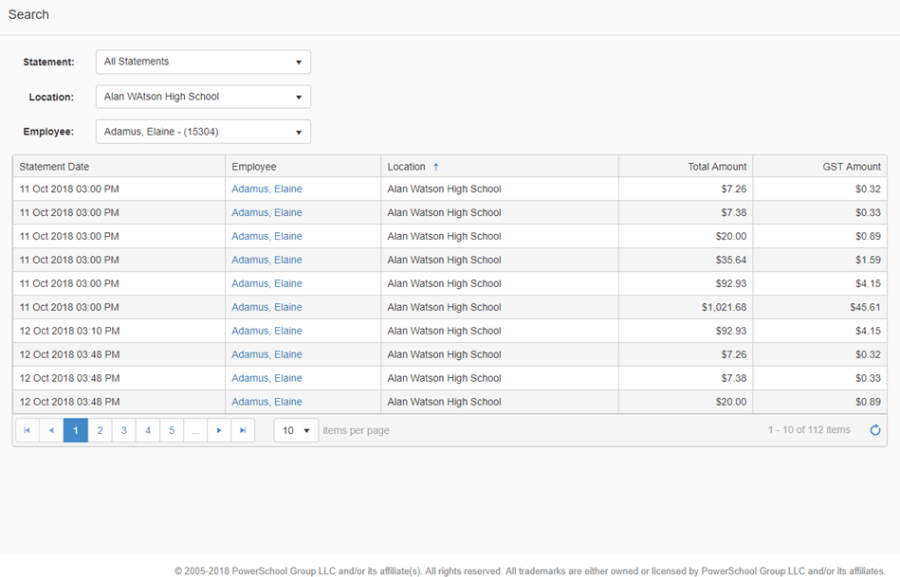
The Search page provides users with a way to search for specific transactions related to the current active statement or for any transactions from prior statements. Access to the Search page is controlled by your Role permission.
The search filters and search results display based on the permissions of the logged in user. For example, a teacher at a school would have access to only their own transactions; a principal at the same school would have access to all transaction history for cardholders at their school location only; a district accounts payable clerk would have access to all transaction history for all cardholders across all locations in the district.
-
Click Search in the left-hand navigation menu
-
Select All Statements, or select a specific statement (statements that appear in the drop-down list are displayed by the date that the file was uploaded and successfully validated)
-
Select All Locations or select a specific location from the drop-down list (based on permission).
-
an employee who is assigned the My Transactions permission only, will have access to their own transactions, and will only have a Locations drop down list if they have more than one location assignment
-
an employee who is assigned the Location Transactions permission will have access to all transactions for employees at their location, and will only have a Locations drop down list if they have more than one location assignment
-
an employee who is assigned the All Transactions permission will have access to all transactions for employees at all locations, so they will be able to select a specific location as part of the search criteria
-
-
Once you have refined your search, you can select a transaction to drill down to the detail record