
Once Notifications are sent, employees with purchasing card transactions to review will receive an email. The employee will need to sign-in to the system and navigate to Purchasing Cards. Once selected their Transaction Summary page displays with a listing of their transactions associated to the current imported statement.
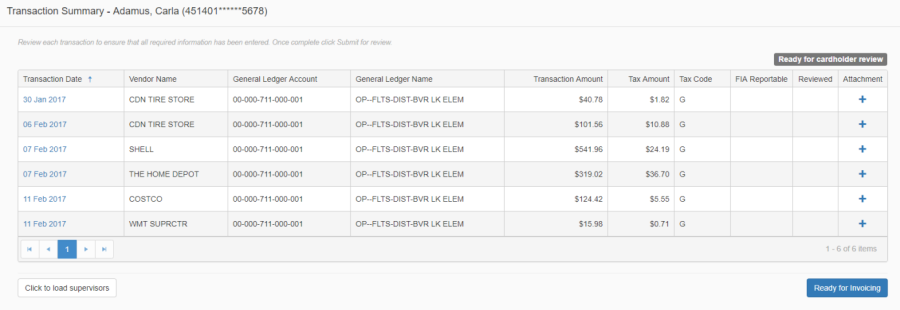
From the Summary page the employee can:
-
Review a summary of their transactions
-
Attach receipts
-
Submit all transactions for supervisor review
-
Drill into each transaction to review more details
The status of the employee's transactions displays at the top right of the grid. Statuses include:
-
Ready for Cardholder Review
-
Ready for Supervisor Review
-
Ready for Final Review
-
Ready for Invoicing
-
Invoiced
When the employee first accesses the page, the summary is 'Ready for Cardholder Review', once they complete their review of all transactions (i.e. add a description, and attach a receipt to each transaction) they will click 'Submit for Supervisor Review' and a notification will be sent to the employees supervisor(s), and the status will change to 'Ready for Supervisor Review'.