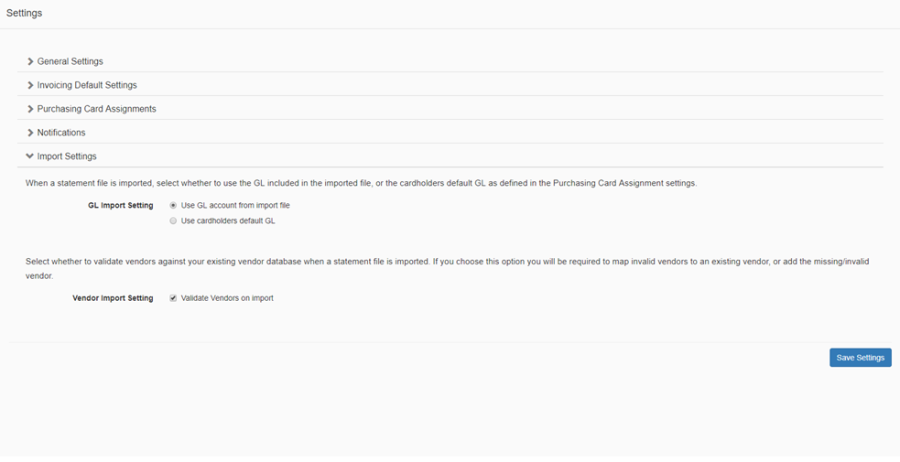
The Import Settings sections allows you to control whether to use the GL account from the import file, and whether to validate vendors during the import process.
-
GL Import Setting: specify whether you want to use the GL account from the imported file or if you want to use the default GL account as defined in the Purchasing Card Assignment settings.
-
If you choose to use the GL account from the import file then if a GL is missing, or not valid for the current fiscal year, then an error will display which must be resolved before the import can complete successfully.
-
If you choose to use the default GL account for the assignment settings page, then any GL's in the import file will be ignored, and you must have the default GL accounts associated to all PCard holders in the setting page otherwise an error will display which must be resolved before the import can complete successfully
-
-
Vendor Validation: specify whether you want to validate Vendors during import against your existing vendor database. If you choose to validate vendors, then you will be required to map missing vendors to an existing vendor or add a new vendor.