
-
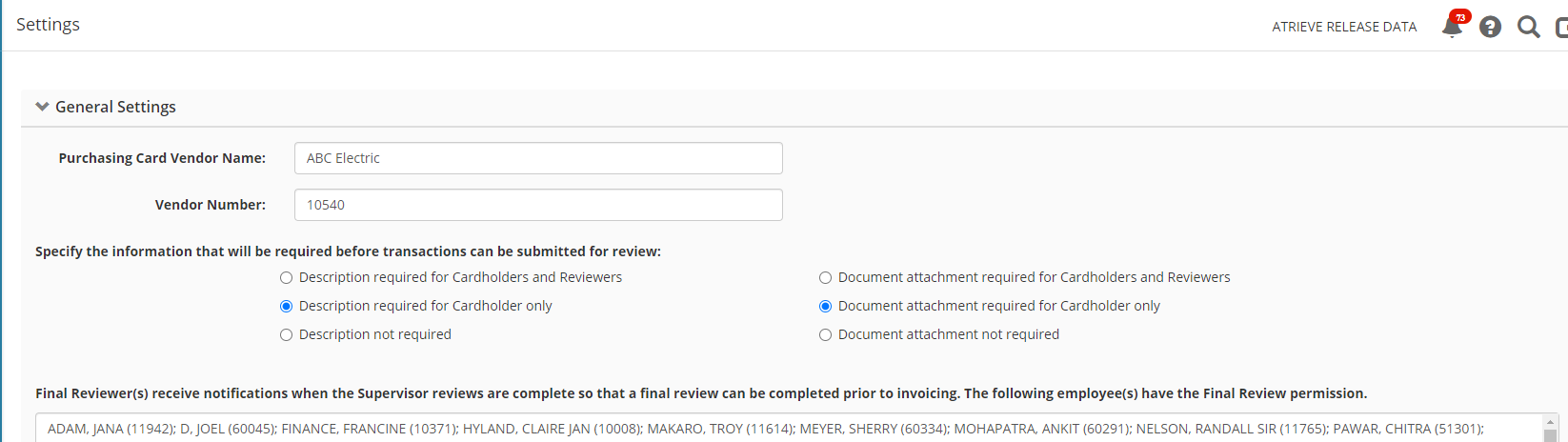
Click Settings in the left-hand navigation menu, the first section of the page is General Settings
-
Enter the name and number of your purchasing card vendor
-
Specify if a transaction description and/or a document attachment (i.e. a receipt) is required before the purchasing card holder can submit their transactions for review
-
For information purposes, a list of those employees who have the Final Review permission will display. Note that these district employees will receive notifications once the Supervisors have reviewed the transactions of their subordinates, so that they can do a final review before invoicing.
-
Click Save Settings to save any changes made