
When Journal Entry is configured with Workflows users with the Approve Journal Entry permission would navigate to the Activity page to review the journal entry batches that have been submitted for their approval.
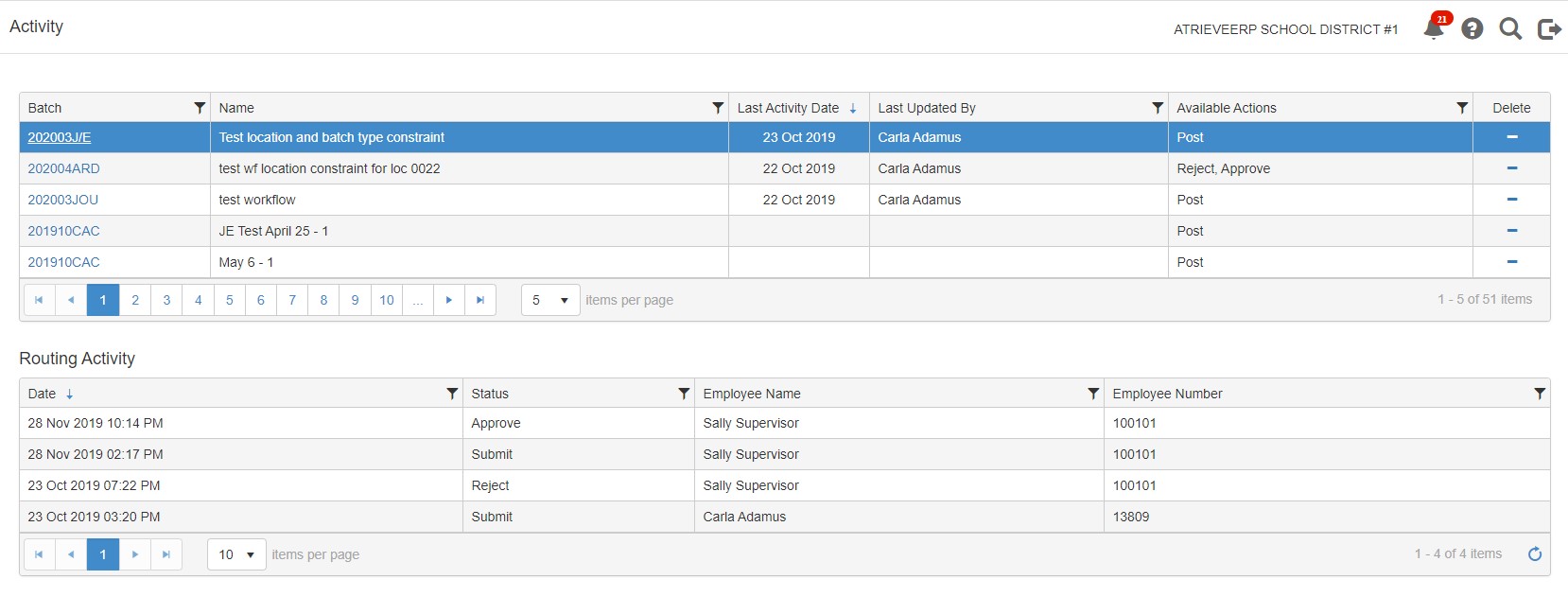
The table at the top of the page provides a listing of journal entry batches that the logged in user has permission to access (i.e. those journal entry batches that have been submitted for their approval). The Available Actions column lists the possible actions that can be performed by the logged in user. Note that the ‘Post’ action will only display if the logged in user also has the Post Journal Entry permission
Table includes:
• Batch Code – click the link to open the journal entry, on the journal entry page the user can select to Approve, Reject or Post the journal entry (depending on their permissions in Role Based Security)
• Batch Name
• Last Activity Date
• Last Updated By
• Available Actions
Clicking on a row in the top table will populate the bottom table with specific details related to the activity for that journal entry batch. Details include:
• Activity date and time (i.e. when the status changed)
• Status (i.e. Submit, Reject, Approve, Post)
• Employee name
• Employee number
Clicking on the Batch hyperlink on a row in the top table will open the Journal Entry to be reviewed and allows the edit of any of the entries and the Approver can Approve, Reject, and Save as Template if desired
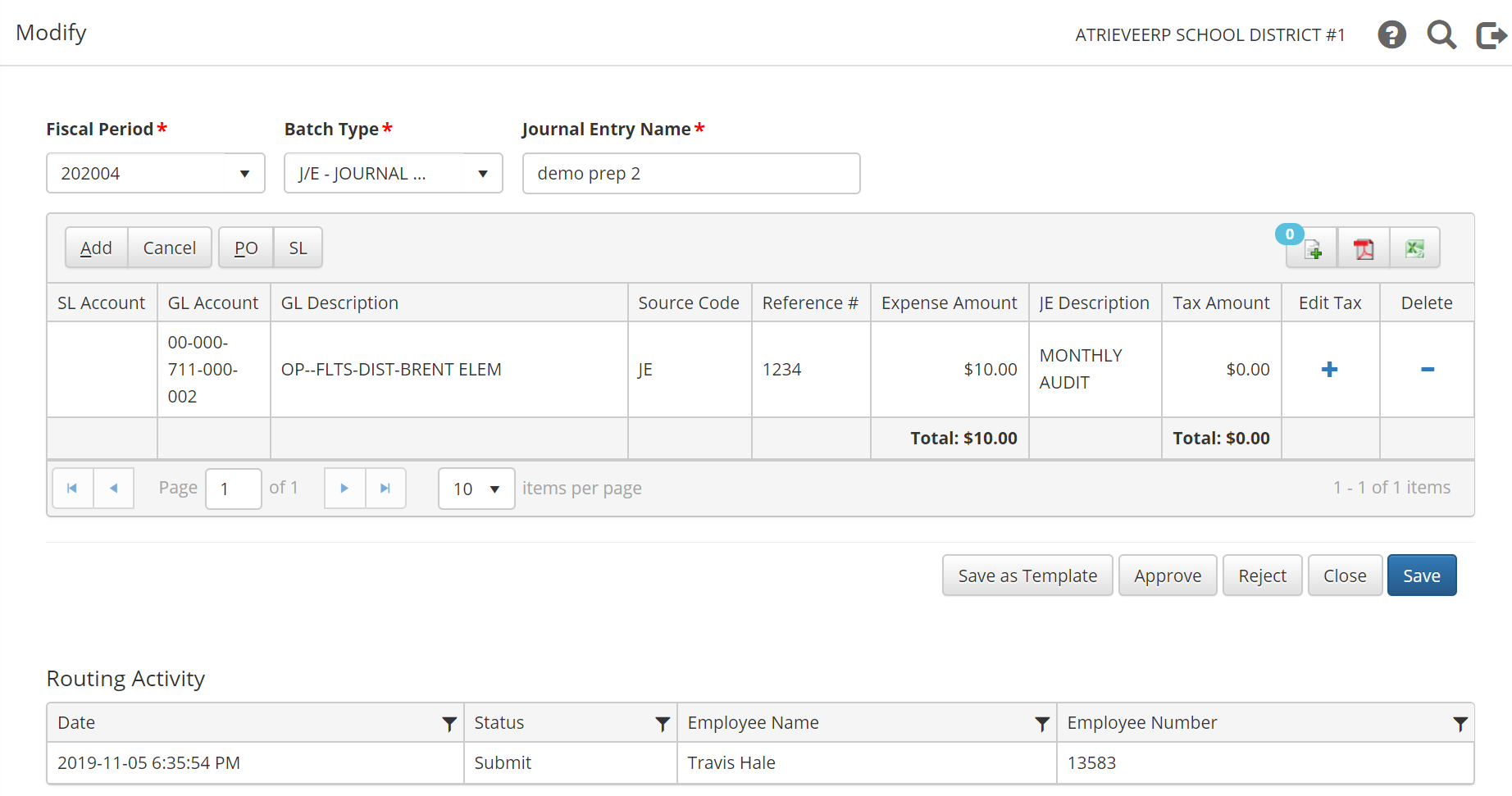
To view Journal Entry activities or workflows in action click on the video below