
Reusable templates allow you to save the structure of a Journal Entry that can be the basis for a new entry, saving you time from having to create the entry from scratch each time you need it.
-
On the Journal Entry main page, click Add Reusable Template
-
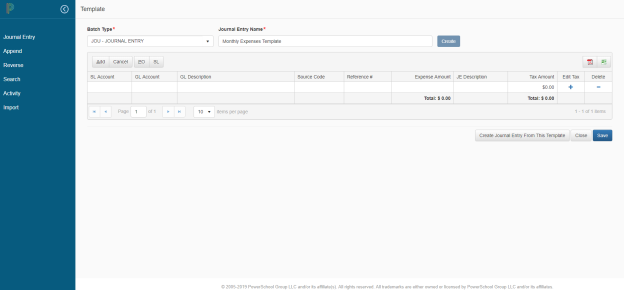
On the Journal Entry Template page enter the Batch Type and the Journal Entry Name
-
Click Create
-
Enter the values appropriate for the template
-
Click Save to save the template
-
Click Close to return to the main Journal Entry page, and the new template will be listed in the template summary table
-
When you are ready to use the template, simply select it from the summary grid and then click Create Journal Entry From This Template. You will be redirected to the Journal Entry Modify page, where you can update as needed before posting
-
On the Journal Entry Modify page click Save, without Posting, and the journal entry will save, and will display on the main Journal Entry page in the saved entries summary grid.
-
Click Close to return to the main Journal Entry page
-
Click Post Entry to process the Journal Entry
-
Click Save as Template, if you have made changes and want to save as a new template
-
To edit an existing Template, click on the Name hyperlink to add new lines, delete lines or make any other changes as necessary, then Save to have the template updated with the new information or Close if you are changing the incorrect template