

-
Click on Append in the left-navigation menu
-
Enter the batch name, or simply start typing a portion of the batch name and the list will filter to show possible matches
-
Click Append
-
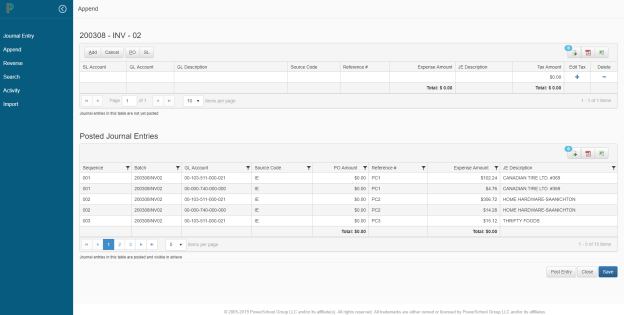
The system will display a read-only grid that includes the existing posted batch entries, and provide a way to enter new entries to add to the batch
-
To process and add the new entries, click Post Entry.
-
Or, to Save the entries to post later, click Save.
-
Click Close to return to the previous page. If changes have been made you will be prompted to save or disregard the changes.
-
To find a saved record, after leaving this page, click on Append again, search for the batch, and the saved, but not yet posted entries will display.