
-
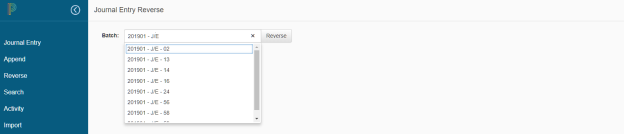
Click on Reverse in the left-navigation menu
-
Enter the batch name, or simply start typing a portion of the batch name and the list will filter to show possible matches
-
Click Reverse
-
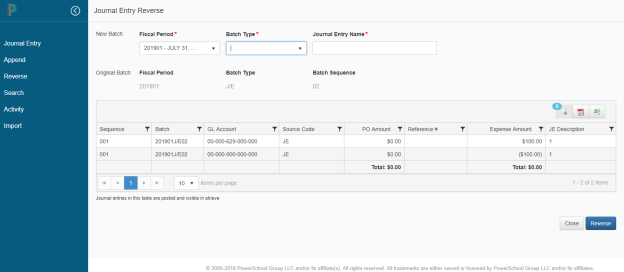
The system will display the reversing entry in a read-only grid, along with the original batch Fiscal Period, Batch Type and Journal Entry Name
-
Select the appropriate Fiscal Period to post the reversing entry to and the new Batch Type and Journal Entry Name
-
Click Reverse to have the batch reversed or Close if you don't want to reverse the selected Closed Batch
To view the video on Adding, Searching, Appending or Reversing Journal Entries click on the video below