Users will receive both a task and an email to alert them that there is a Schedule Review Task ready for their Review.
Users will be able to click on the link in the email that will redirect them to their tasks, Alternately users can load tasks using the task widget bell in the portal or navigate to their task manager from My Info-->Tasks-->Task Manager
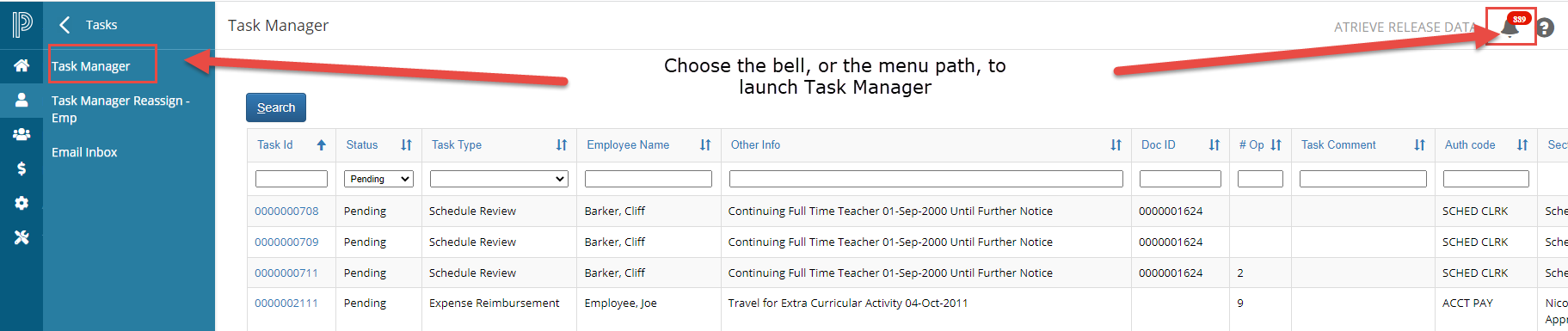
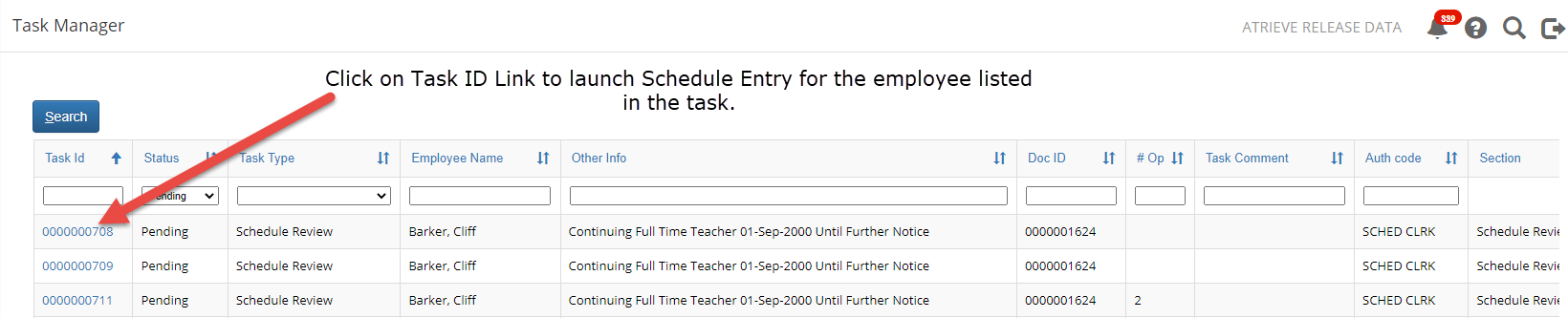
Once tasks are loaded, they can be filtered as needed. Users can click on the Task ID to launch Schedule Entry for the employee listed in the task.
If no changes are required to the employees schedule, click 'Mark Task as Completed'. The task will disappear from your task list.