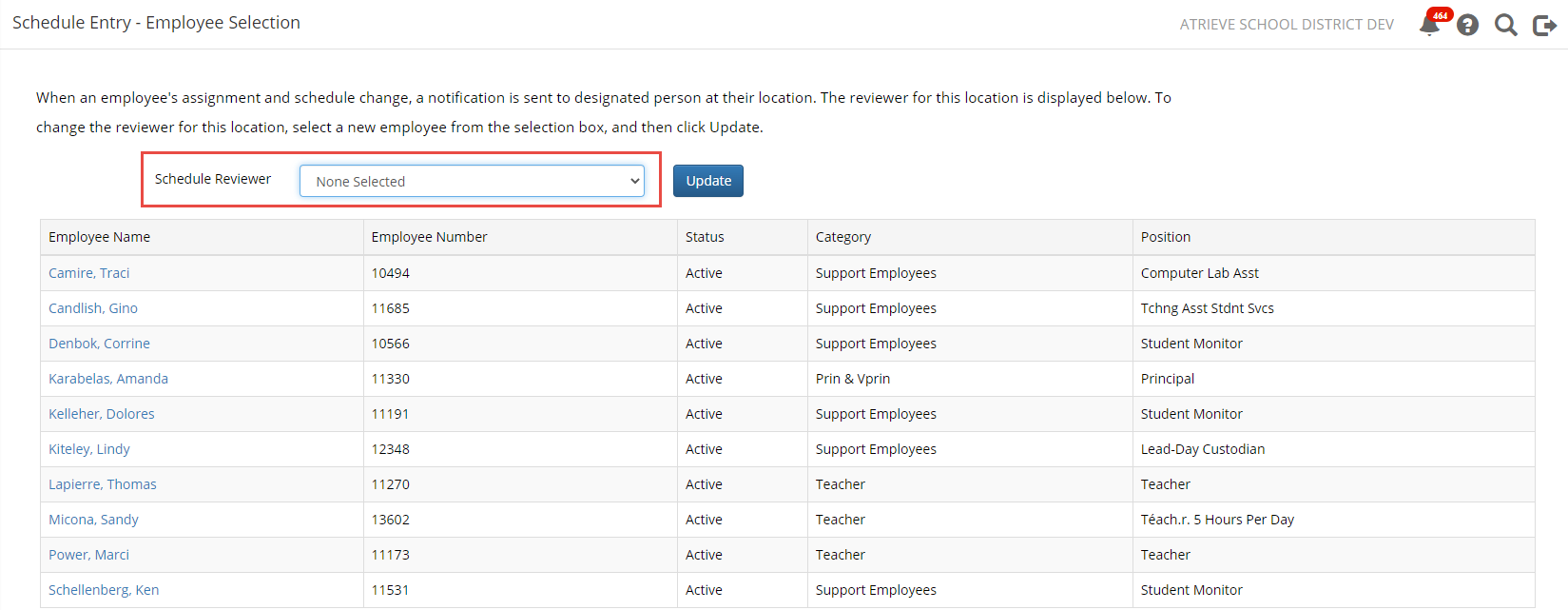
A location’s schedule review recipient must be specified for each location because there is usually no correlation between job title and this responsibility. For example, at a High School, a Business Manager might enter the schedule changes while at a small Elementary School, the Vice Principal might enter the schedules. Chose HR→Manage Staff→Schedule Entry→Schedule Entry Location.
***Note that changing the recipient does not forward outstanding Schedule Review Tasks to the new employee.
If you have Multiple Locations to choose from, choose the location that you would like to work with.
Select a Schedule Review Recipient from the drop-down selection and click update. This will ensure that any new Schedule Review tasks created for this location will be sent to the person you have selected.