Note that every time you save a version a snapshot of the canvas is taken, and you can continue to refine the workflow and when ready (or if applicable) publish the workflow.
You can go back to previous versions and save and publish, and if you do this the system will clone the workflow and create a new snapshot which would then be published.
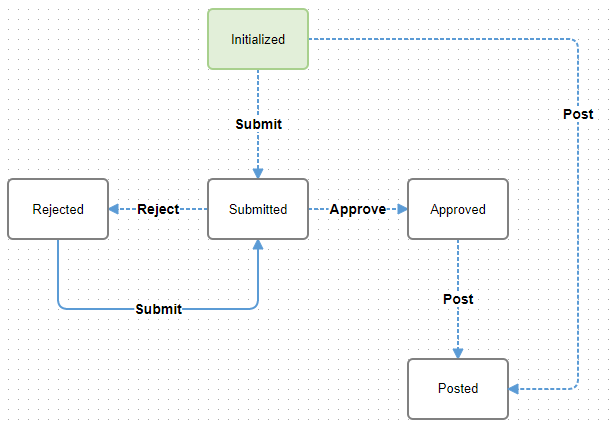
When a workflow is initiated, for example when a user enters a journal entry and then clicks submit, a token is created, and the tokens are associated to the active (published) workflow. If you publish a new version of the workflow, any tokens associated to the previous workflow will continue down that path, and any new tokens that are created when a user submits a journal entry for approval will then follow the new workflow path.
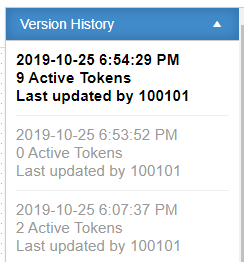
In the example below, there are 9 tokens associated to the active published version, and 2 tokens associated to a previous version. Once the workflow has been completed for those 2 tokens (i.e. the batch is posted to journal entry) then the count will be updated to zero.