Completed
Miscellaneous improvements for Load Supervisor, GL Search, and Cardholder Transactions
What we’re doing:
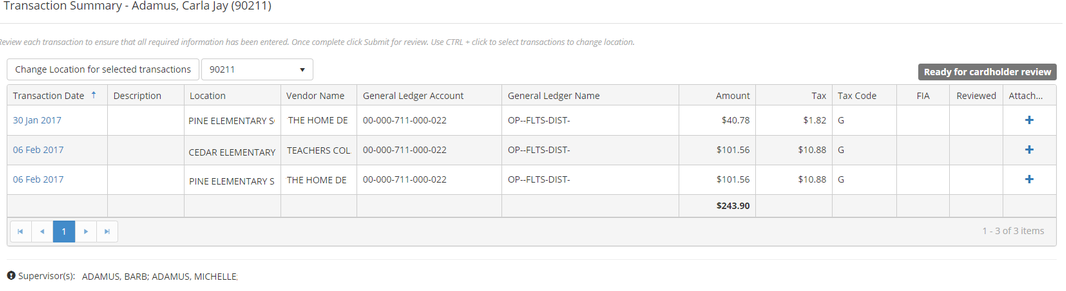
Enhancing the Load Supervisor functionality to display multiple supervisors if applicable. Enhancing the GL Search to load results when tapping the enter key, and adding the transaction total to the cardholder summary grid.
Why we think you’ll like it:
When a cardholder is assigned to more than one location, and has a different supervisor for each location, the supervisor that displays when clicking the Load Supervisor button, was not displaying all supervisors. Now, when the cardholder loads supervisors, they will see all of their supervisors for all assigned locations. Other reviewers, who click the Load Supervisor button will see only the applicable supervisor for the selected location.
In addition, the GL Search has been updated so that entering a value in one of the search criteria boxes and then tapping the enter key will now invoke the search and display results. Previously you were required to click on the search icon to invoke the search to display the results.
And, the transaction total has been added to the cardholder summary grid.
Learn more:
Supervisor Information:
As a Cardholder navigate to Finance > Requisition & Purchasing > Purchasing Cards
Click on My Transactions in the left navigation menu
Click on the Load Supervisor button located below the grid to display a list of Supervisors