|
Journal Entry Detail Screen - Overview |
|
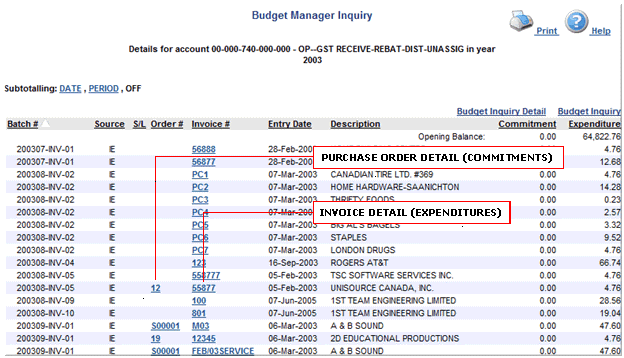
After having selected the Balance Available link for a single gl from the GL detail screen, click on the link in the Expenditure column to go to the Journal Entry Detail Screen. |
The Journal Entry Detail Screen displays all journal entries for the chosen account during the year selected on the Budget Manager Web Home Page. The user can see a summary of the journal entries, including Order #, Invoice #, Entry Date, Description, etc.
By clicking on the sample GL, you can view the detailed Purchase Order (Order # 12) and the Invoice (55877) that was entered for this item.