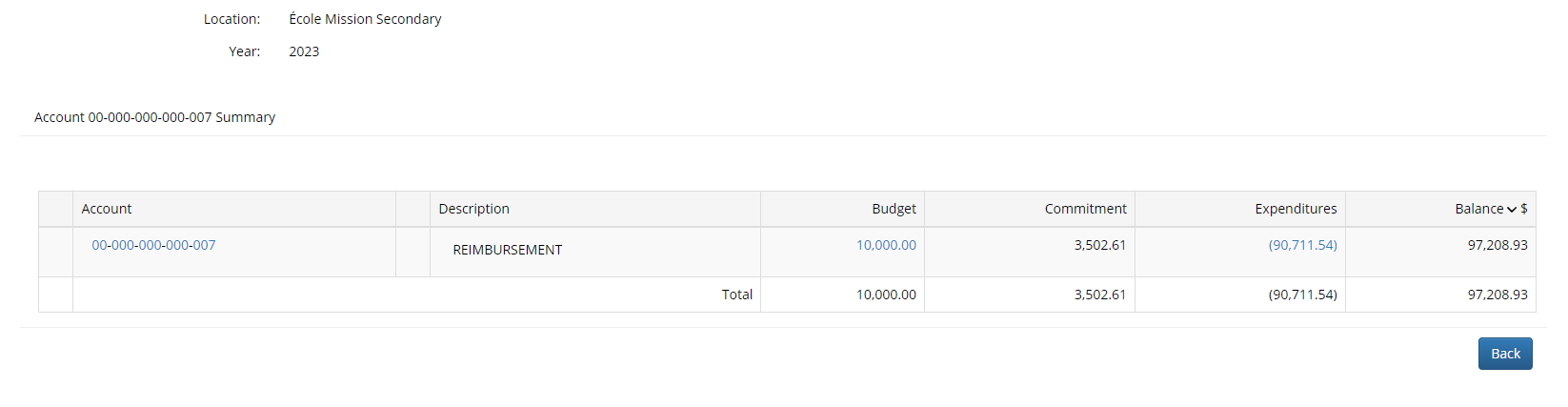
GL Detail Screen - One Account
The GL Detail Screen for a single account lists the same details as the previous screen but adds a hyperlink to view the budget or expenditure details.
Click on the link under the Budget column to view budget details or click on the link under the Expenditures column to view the journal entry details
Let's look at a sample Budget Summary Screen for an account. This is accessed by clicking on any of the summary amounts under "Budget"