
|
Invoice Detail Screen -Overview |
|
The Invoice Detail Screen allows the user to view the details of an invoice entered for items in the Journal Entry Detail Screen. Below is a sample invoice chosen from the Journal Entry Detail Screen. Each invoice is created from the real time data entered into the finance system. |
|
The amount on the invoice is commonly different from the amount on the journal entry transaction as a result of other accounts being expensed, as well as a different account being used for GST/HST rebates. |
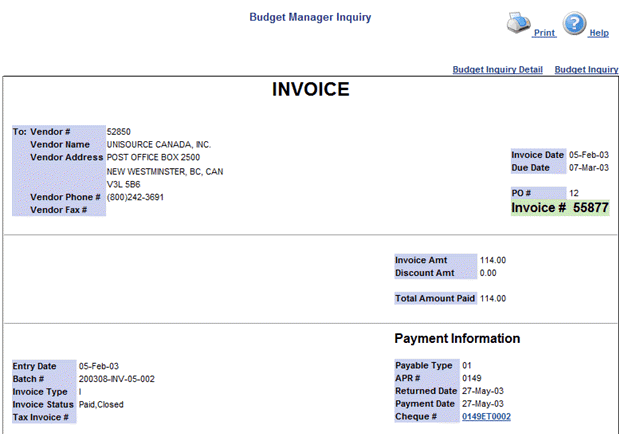
If a cheque has been issued and entered for the invoice, the cheque details may be viewed from the cheque link on the invoice.