
Overview
The BMW menu design is managed by the Security Builder Administrator. Your login is connected to your PRM Employee ID, which determines your access and view options.
Key Connections
-
Employee ID: Linked to your Position, Category, and Location.
-
Position & Category: Connected to your Role, which defines your menu options.
-
Location: Determines which school's information you see in BMW.
Overrides
Overrides can grant access to multiple locations and GL selection criteria.
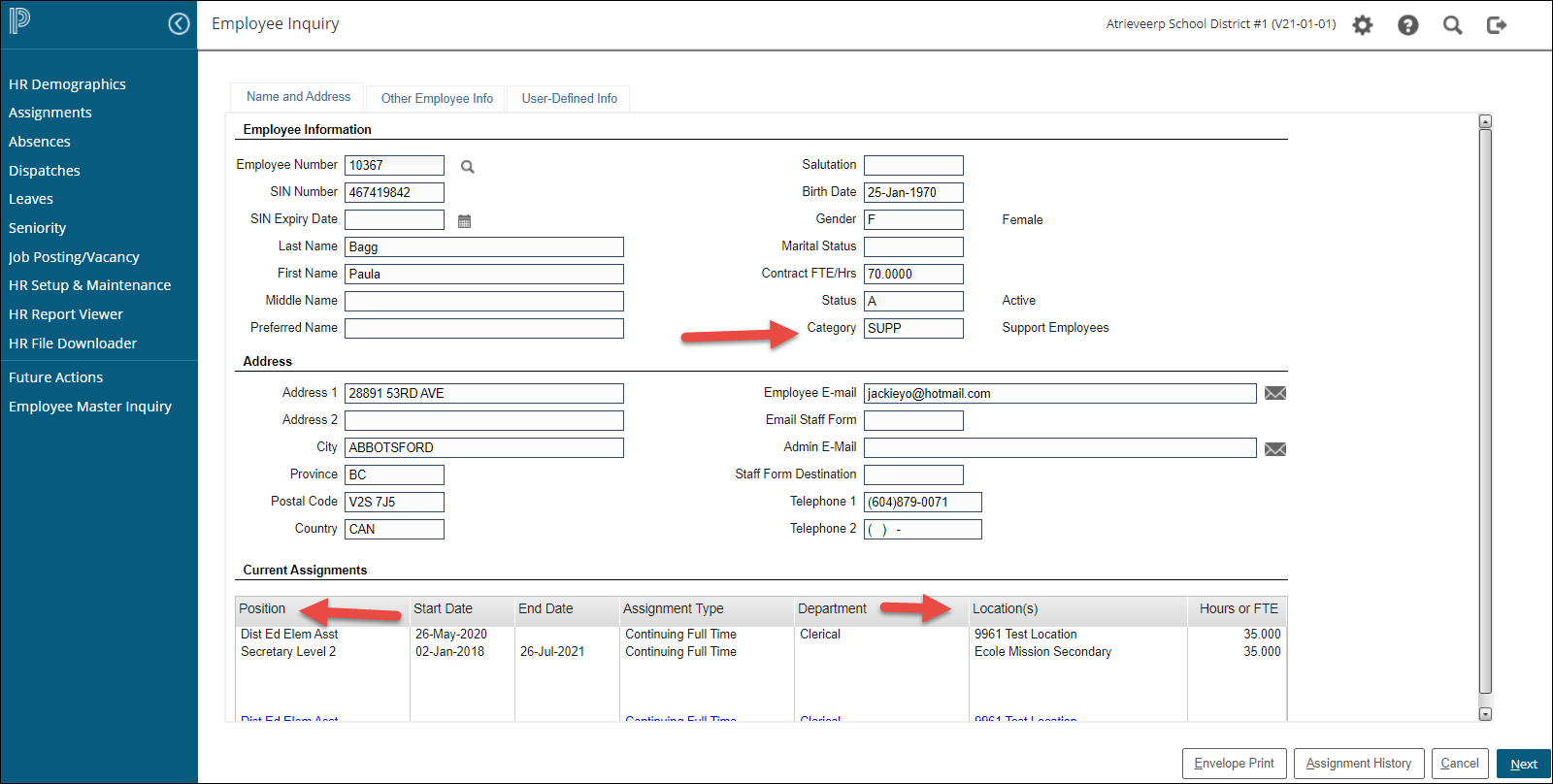
The Position and Category connection
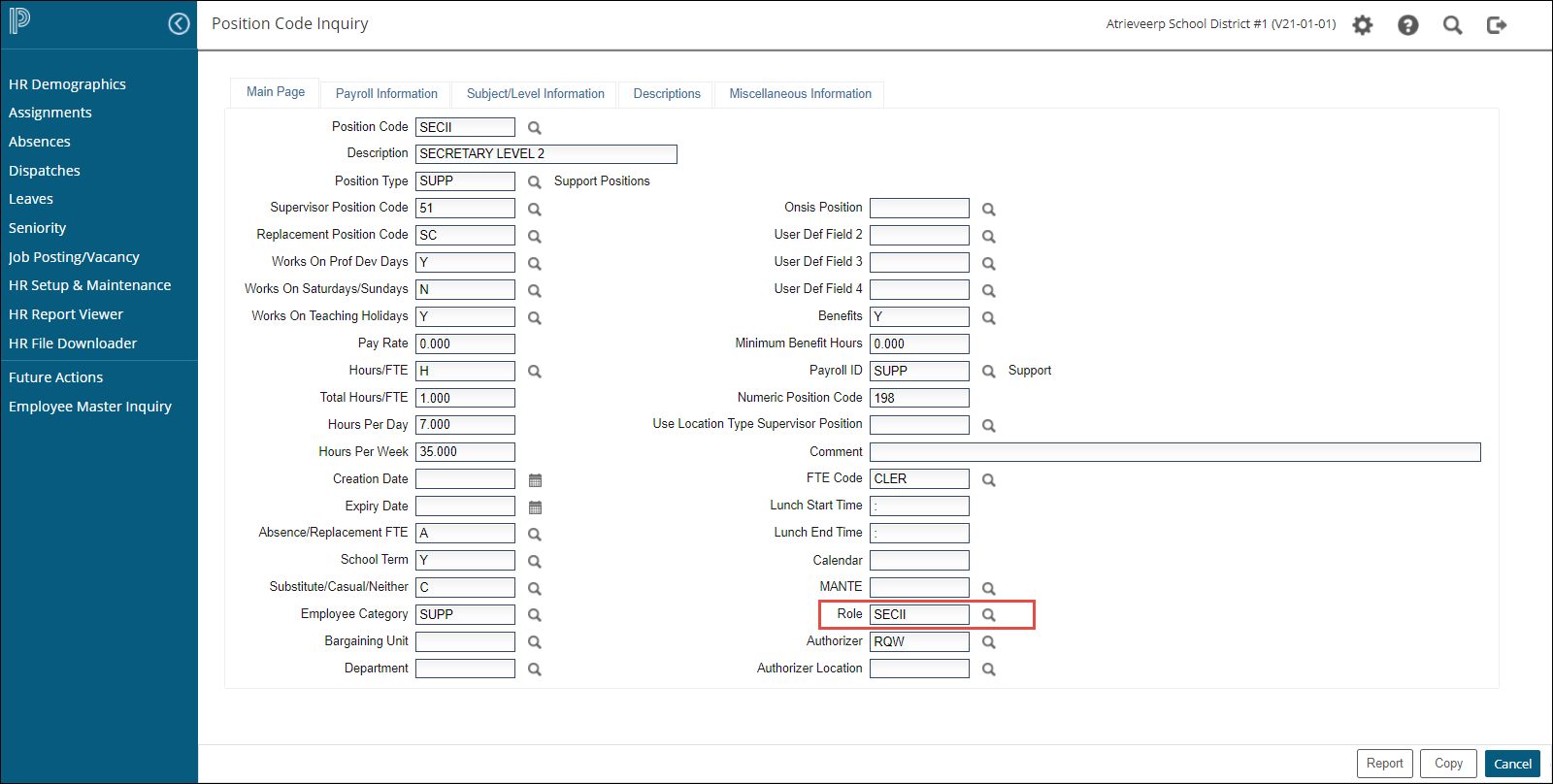
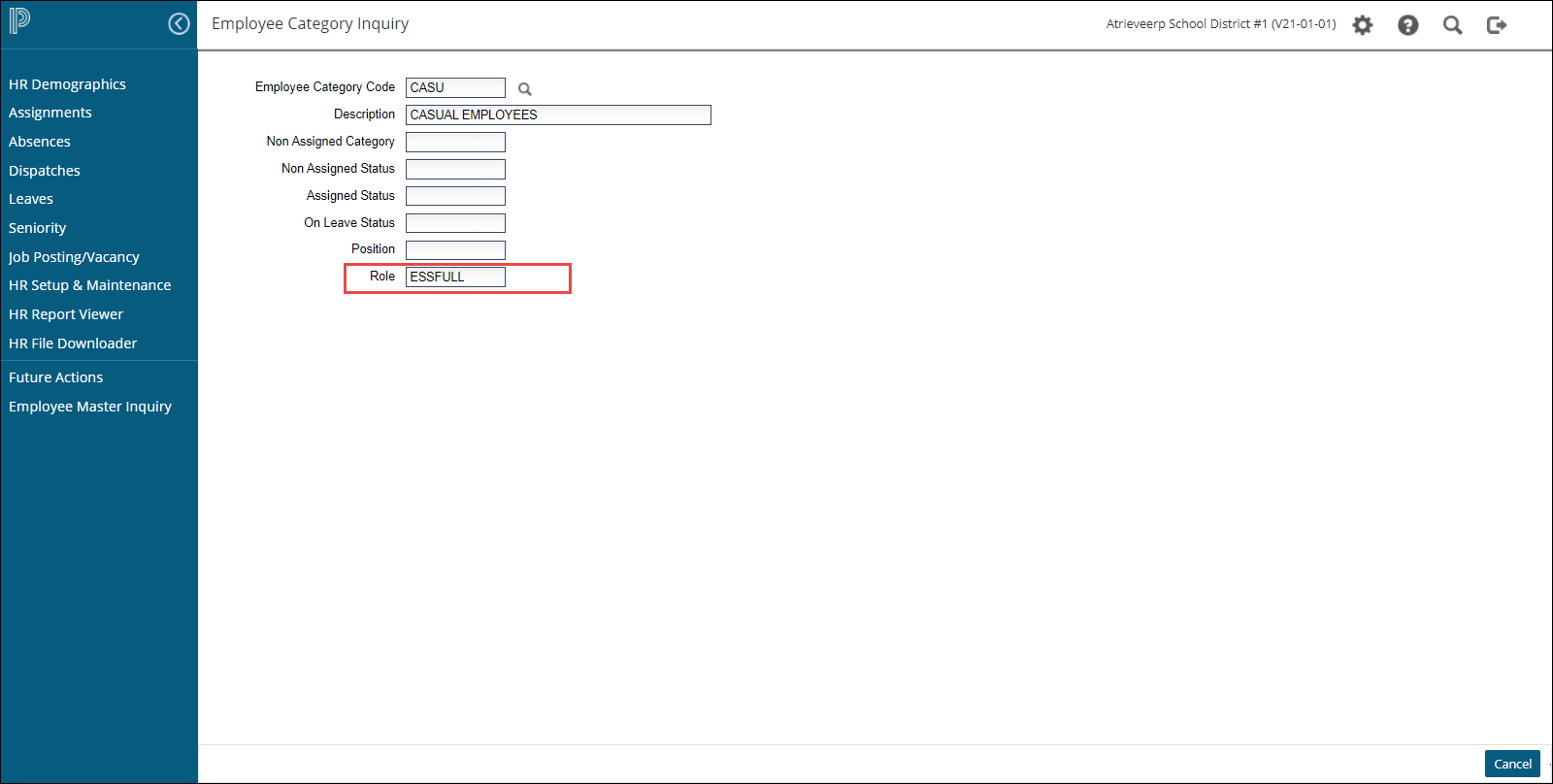
Security Builder Roles
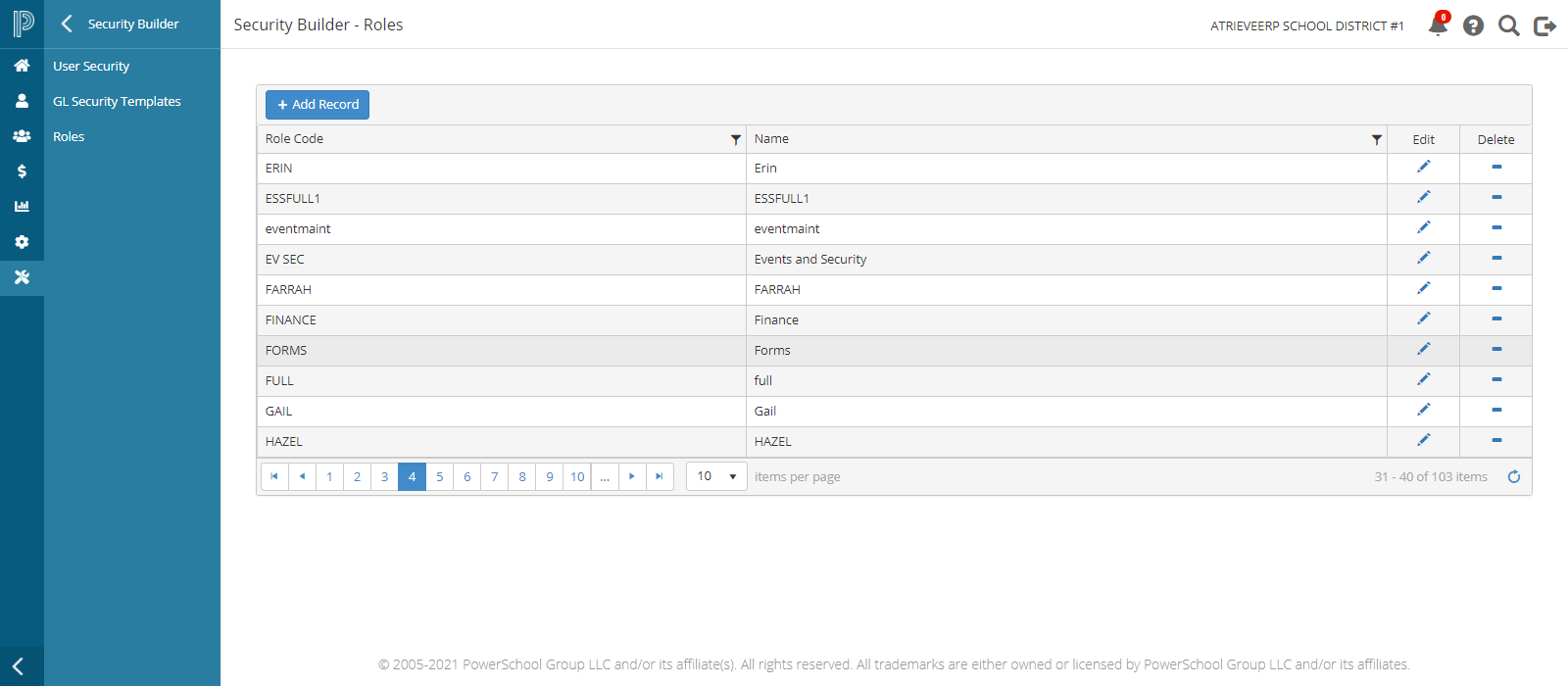
Roles
Roles are created in Security Builder/Menu Builder and linked with the role code in PRM. GL Security can be defined by Role In Security Builder and secured by location from PRM. Menu options are added to the roles in Menu Builder.
Location Assignment
A "location" GL security template selects GLs related to your assignment in PRM. Other templates can be attached to roles or overrides.
Override
Overrides grant additional location access using the location and GL Security fields. Separate locations with commas, no spaces. Locations can also be entered by product license reference.
System Behavior:
-
No Override: HR assignment location dictates access.
-
Yes Override: Locations can be entered by product (e.g., TEW=0021|0043, BMW=0001|0002). If a product is not listed but available, the location reference is pulled from HR Assignment(s).
Setup Instructions
BMW Setup
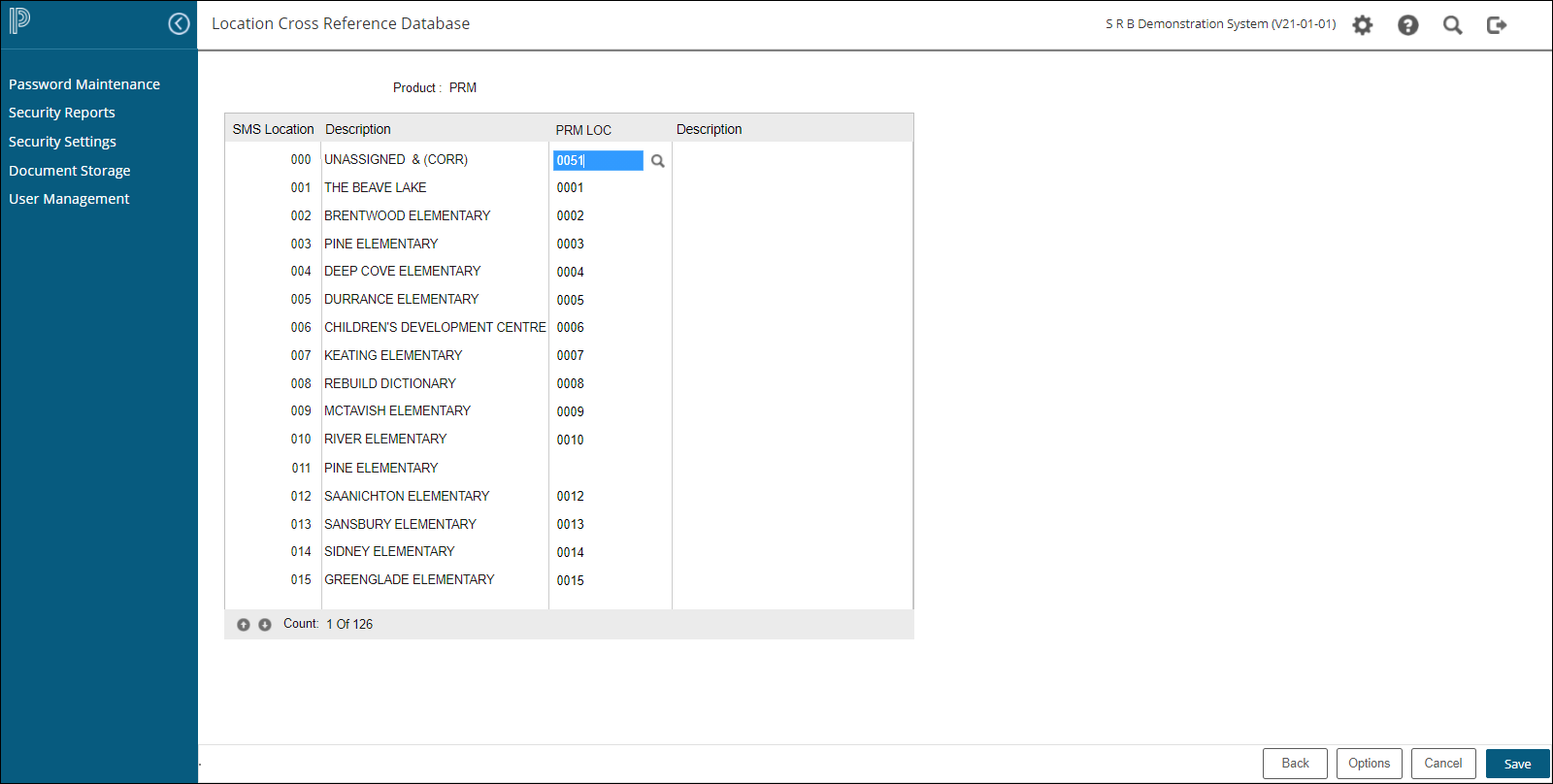
SMS > Security Settings> Location Cross Reference Maintenance>PRM Connects HR Location to BAS location for web display. If not configured, users will see a message that their location is not set up to view Budget Manager Inquiry.
GL Selection Criteria
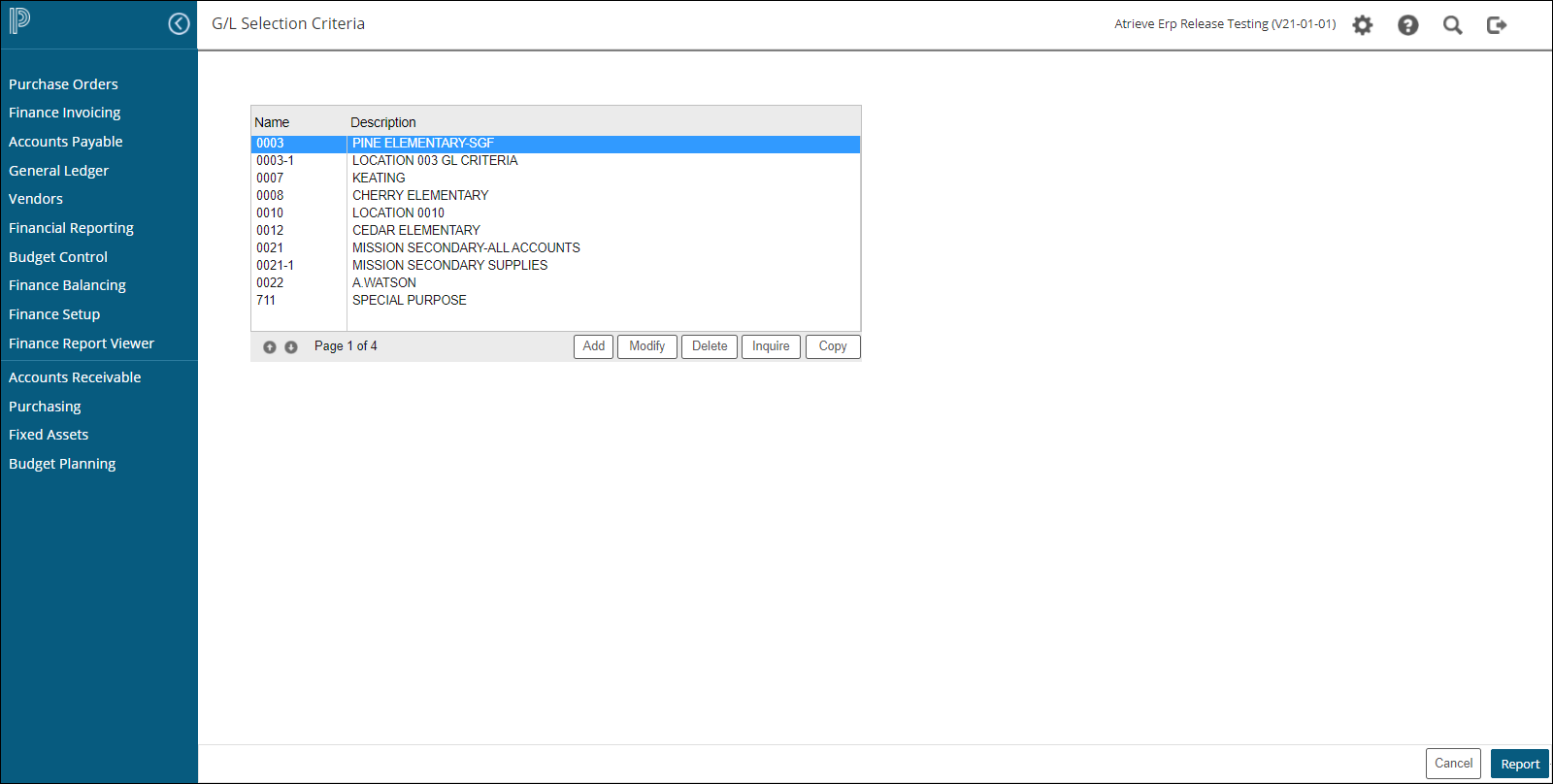
Finance Setup > Database Menu > GL Selection Criteria: Use Add, Modify, Inquire, Report, and Copy tools to build your GL Selection Criteria database. This setup connects viewing criteria for each location from atrieveFinance to BMW. If not configured, users will see a message that their location is not set up to view Budget Manager Inquiry.
CODE:
-
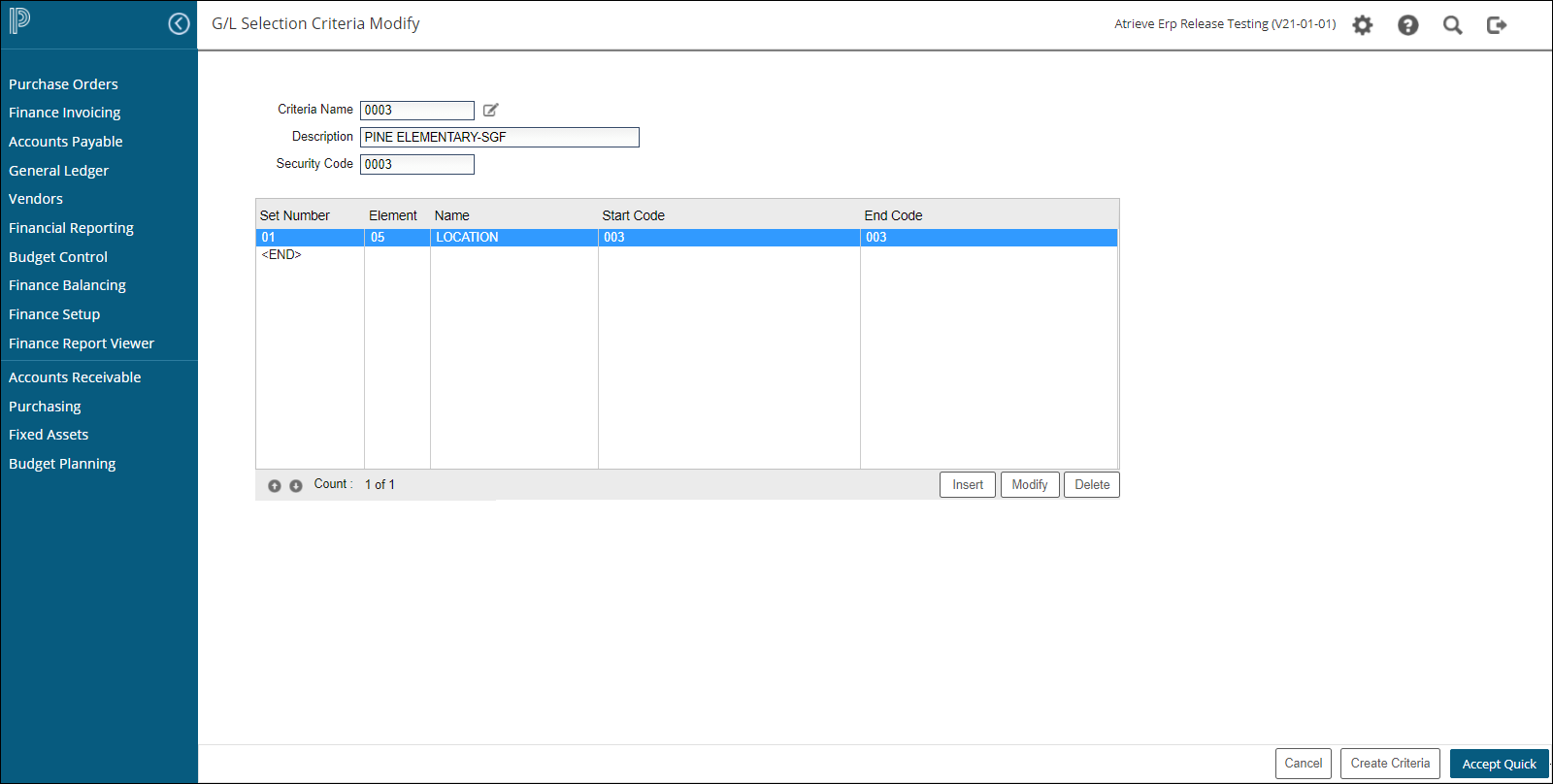
Must be the PRM location code for access behind the scenes if using location GL template.
-
Can be defined as alpha/numeric characters for reporting outside a distinct location, but an override must be used for criteria selection.
-
Using apha/numeric non location Criteria does not need to be cross referenced in SMS. You just need to define the Code given in the criteria in the users location override in Security Builder
-
Modify the CODE by clicking on the Modify icon on the criteria name.
Profile Settings
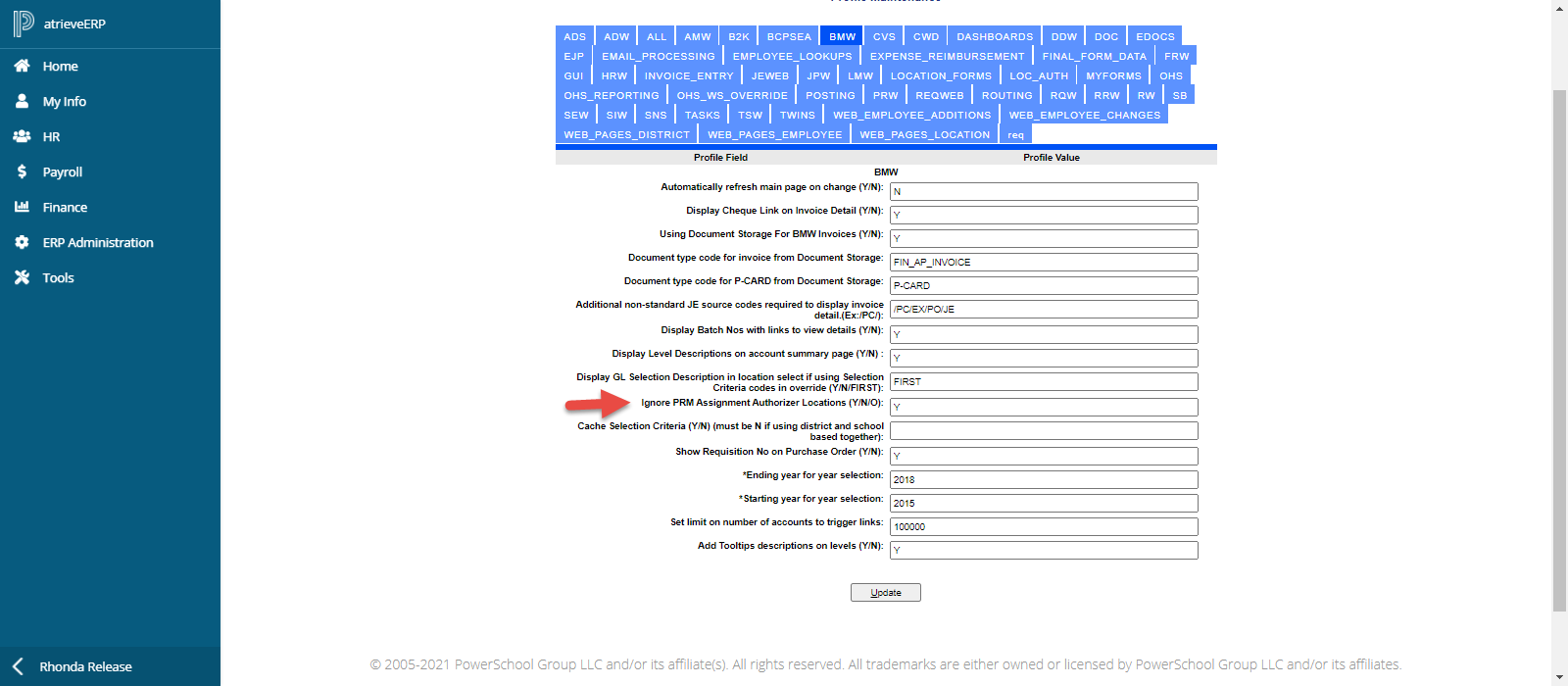
Profile settings handle employees with Authorizer locations defined. Web products default to employees' Authorizing Location. Options for more flexibility:
-
N: Default to employee's auth loc (assigned location if no auth loc), when location override is blank. Show PRM Assignment and Auth Locs in location override.
-
Y: Default to employee's assigned location only, when location override blank. Ignore PRM Auth Locations whether part of location override or not.
-
O: Default to employee's assigned location only, when location override is blank. Show PRM Assignment and Auth Locs if location override exists.
These settings exist for FRW, PRW, HRW, BMW, RQW, TEW (TSW), ADW and are defined separately based on Product Profile.
Notes
If you are getting messages that your location has not been set up, here are a few things to check:
-
Finance Setup > Profiles > User Profile > Page 4 > BMW - Suppress accounts with zero balance:
-
When set to Y, if there are no expenses in the GL, it will say your location has not been set up.
-
If set to Yes, it will display all active GLs as zero balances.
-
-
General Ledger > GL Browse:
-
Choose your year to report on and use the lookup to select the criteria you set up.
-
If there is data and you are still getting "no location has been set up," the user may not have the GL security to see it.
-
If there is no data and your profile is set to suppress accounts with zero balance, it will say "location not set up."
-
-
Ensure user has the CODE that was set up in the criteria defined in users location override.
-
If the user has a GL template of Location, make sure the location has been cross-referenced in Security Management.