
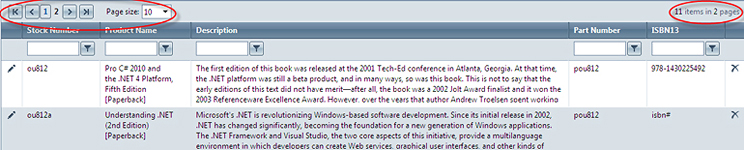
The page will display the total number of pages as well as the number of items per page. The user may move through pages using the arrows, either page by page, or moving to the first or last page of the catalogue items list. Using the "Page Size" drop-down, the number of items that appear on each page may also be changed.