

Click on the pencil icon of a catalogue item to pop open the edit screen for that individual item.
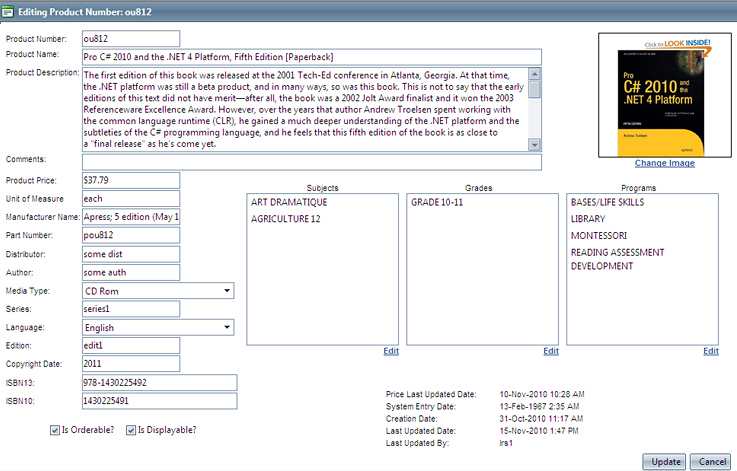
On the edit screen, changes may be made to fields associated with the catalogue item. An image may be changed or added to be shown with the item catalogue display. Once all the changes are made, click 'Update' to save all changes. If you wish to exit the screen and not save changes, click "Cancel".
Checkboxes:
Is Orderable: If checked, the item will display as part of the catalogue and may be added to a cart or wish list. If unchecked, the item displays in the catalogue but cannot be added to a cart or wish list.
Is Displayable: If unchecked, the item will not appear as part of the catalogue to end users.
Audit:
As part of the edit screen, an audit of all actions to the catalogue item is shown. This audit includes when the price was last updated, when the item was originally entered into the system, the original creation date of the item, the date the item was last updated and the user that last updated the item.