
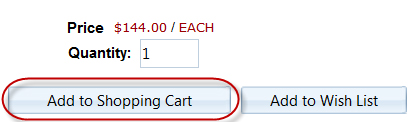
Shopping carts are created when items from a catalogue are added. Enter the required quantity and select "Add to Shopping Cart". Shopping carts are associated with catalogues; there can only ever be one cart per catalogue.
Once items have been added, the quantity of items selected appears below:
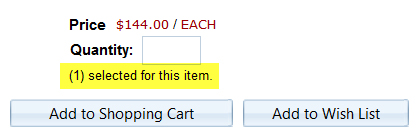
The quantity can be adjusted by entering a new number and selecting "Add to Shopping Cart". The new quantity will become the selected amount. To remove the selection, while browsing, enter zero (0) as the quantity and select "Add to Shopping Cart" or delete the item when reviewing the cart contents.
If there is at least one item in a shopping cart, it will automatically be saved by the system, becoming "active" and can be accessed and added to, in the future.