
The ACCOUNT DICTIONARY MENU of the system defines the account codes used for each level of the GL account, and the alias. It also defines an account code description and abbreviation. The description or abbreviation can be included on reports, and the abbreviation displays for any GL maintenance.
The dictionary is only used when dictionary validation is activated. This is done by entering 'G' and/or 'A' in the dictionary validation item on the master profile.
You may select a function from the drop down. You may work on dictionary elements for either the GL or the alias. You may add, change, delete, inquire, or report on any of the levels within one of these two dictionaries.
When adding, changing, deleting, or inquiring on dictionary codes, you will be prompted for the level of the GL or alias that you require as well as the fiscal year for which you want to make a change. The year will default to the year defined in the BAS master profile
MODULE
You may work on dictionary elements for either the GL or the alias. You may add, change, delete, inquire, or report on any of the levels within one of these two dictionaries.
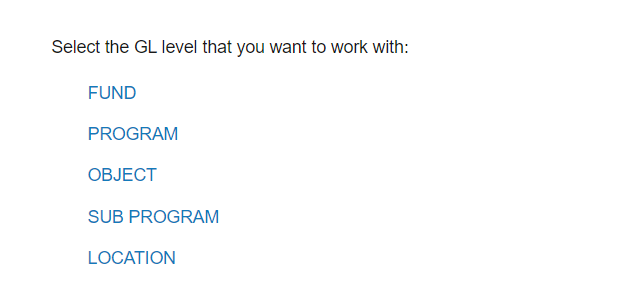
LEVEL
Choose the level number of the account level to use for dictionary maintenance. Note: The menu in the example displays the levels for the account code structure setup for this manual, but the level selection list will be dependent upon the number of levels and the descriptions given them in the profile record and will vary from user to user.
DICTIONARY VALUE/CODE
Enter the value of the dictionary entry. The system will display the prompt showing a block on the screen for each character. The number of blocks represents the number of characters that are to be used in the dictionary entry.
DESCRIPTION
Enter a description you want to use on your reports which describes this dictionary value, e.g. Object Code 110, description = salaries.
ABBREVIATION
Enter an abbreviation that is meaningful to you.
Note: GL file maintenance uses the abbreviations to build the description for a GL account. Keep in mind that the total length of the account description field is 34 characters. This means that the total of the abbreviations that can be inserted in that field is 34 characters less a dash (-) separating each of the levels. In the example there are 6 levels which means there are 29 characters of description after the dashes (5) are subtracted to provide space for the separators. (The average length of the abbreviations for the example code should not be greater than 5. If it is, the last element will be truncated when the description is built.)
ALTERNATE
This field is used by the Finance Report Writer and can be used as an alternate description when producing Reports. Entry in this field is optional.
EMAIL DELIVERY OPTION
The lookup can be used to list the options that are available. These options define how email addresses are derived, and can be used to distribute user defined reports by email. The page breaking options within the user defined reports can be used in conjunction with the defined email addresses to break a report into multiple documents and email each document individually.
The email addresses can be defined based on the following options:
|
None |
Do not use the email |
|
Employee Number |
Email address is derived from the employee file |
|
Email Address |
List the email addresses for this code |
|
Position Code |
Option not yet available |
EMAIL ADDRESSES/EMPLOYEE NUMBERS
This prompt will only display if the ‘email delivery option’ has been used to select the email address or employee number option.
If email address is selected, enter the email address(es) for this code.
If employee number is selected, use the lookup or CTRL+F to select the employee number(s) for this code.
If multiple email addresses or employee numbers have been entered, an asterisk will display beside this field.