
**Do NOT delete tasks on the web if they have already been submitted into atrieveFinance. Once a task is deleted – it deletes the audit trail as well as the form submission and there is no way to retrieve it.
To delete a task, you will need the Task ID:

Go to 'Task Maintenance'
The Task ID entered needs to be 10-digits long:

Click on the Task ID you wish to make changes to:
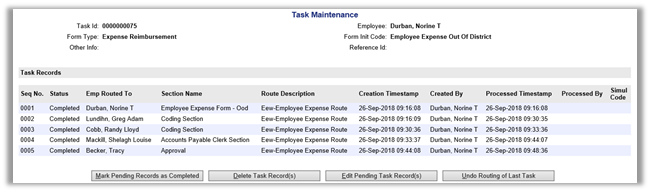
Delete Task Records will delete the testing task completely. Again, only delete the task if the invoice has not been created in the atrieveFinance system.