To add Journal Entry Constraints, navigate to Role Based Security>Use lookup to find the user you want to add the new constraint for.
Add Constraint
Two constraint options for Journal Entry Web are Batch Type Security and Location Security.
Batch Type Security
Type: Batch Type Security
Product: Journal Entry
Permission: Select from the drop down
Append Batch
Approve Journal Entry
Create Journal Entry
Defined Recurring Schedule
Define Reusable Template
Import Journal Entry
Post Journal Entry
Operator:
Is in List = Any batch in the selected field will be available for user in Journal Entry (only used if user only needs access to one or very few selected batches)
Is not in List = Any batch not in the selected field will be used in Journal Entry.
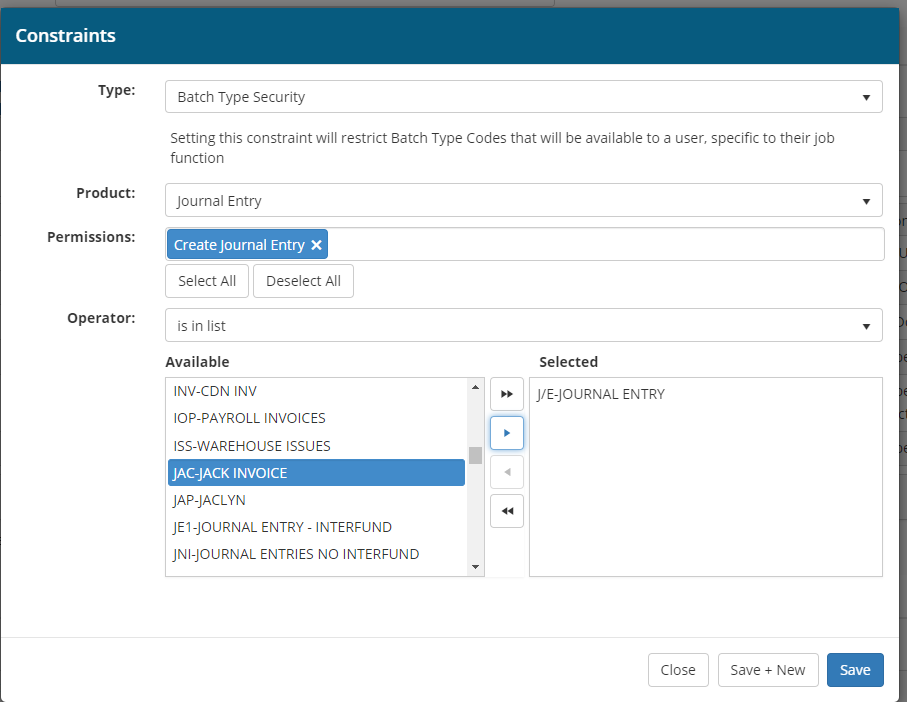
Example A
User can create journal entries for batch type J/E. See permission drop down list above.
Operator = Is in list
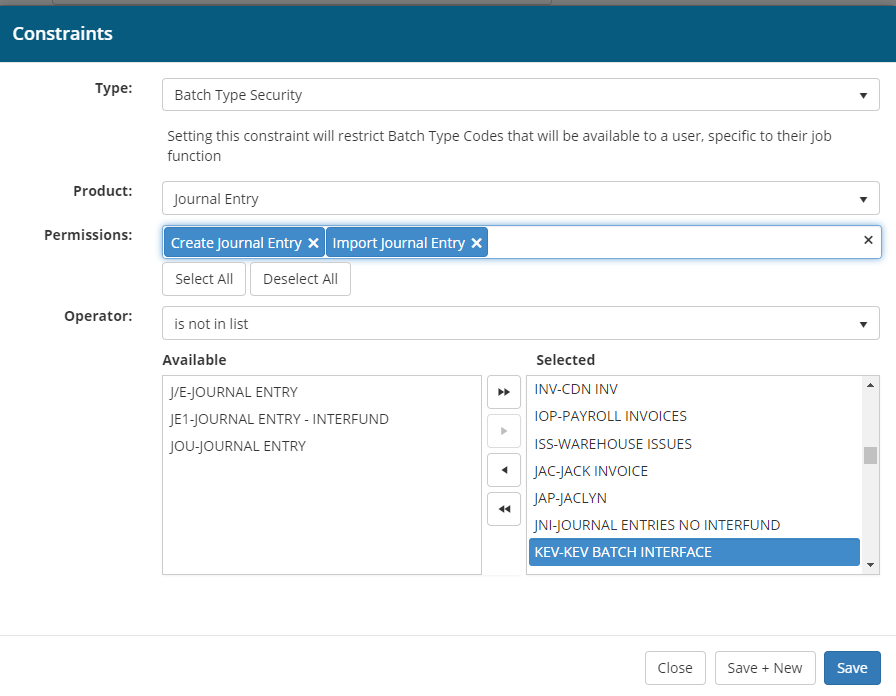
Example B
User can create journal entries and import journal entries for batch types J/E, JEI and JOU.
Operator= Is not in list
Location Security
Type: Location Security
Product: Journal Entry
Permission: Select from the drop down
Append Batch
Approve Journal Entry
Create Journal Entry
Defined Recurring Schedule
Define Reusable Template
Import Journal Entry
Post Journal Entry
Operator:
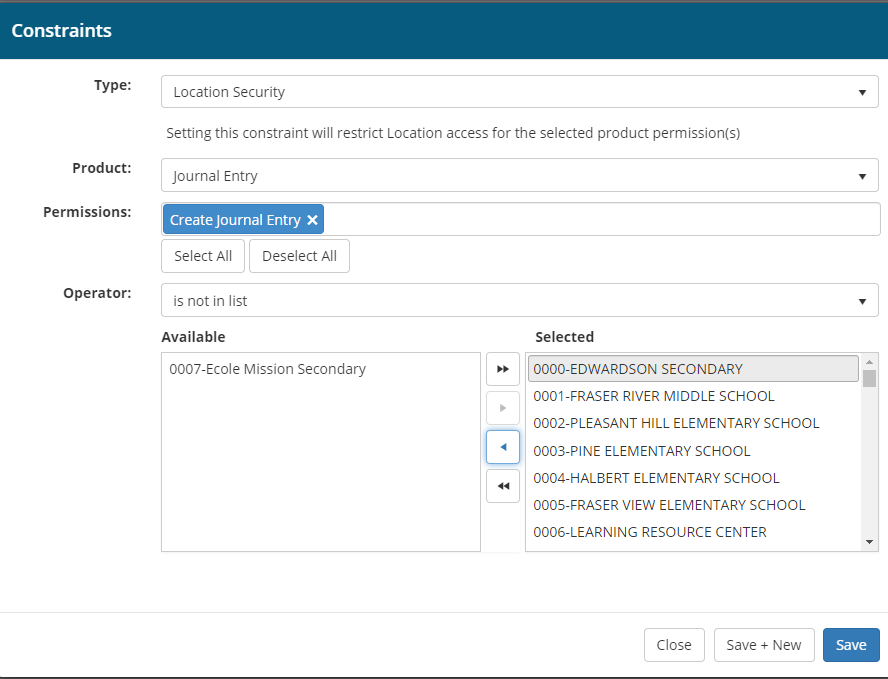
Is in List = Dot not use this for location security.
Is not in List = Any Location not in the selected field will be used in Journal Entry. (Entering one location with the Is not in list will not show user a location drop down. If more than one location is used user will see dropdown of the listed locations.

NOTE: User must have the location organically from HR or in their Security builder Override. The authorizer must have the location in their HR assignment or their Security Builder Override.
Example A
User will log into Journal Entry Web and not see a location drop down If only one location is selected in the constraint. In the background this Journal Entry is routed to location 0007, authorizer will need this location to see the journal entry in the activity page.
Note: If this user only has one assigned location in HR for 0007 this is not necessary. If user has multiple locations but only needs 0007 for journal entry you can use this method.